
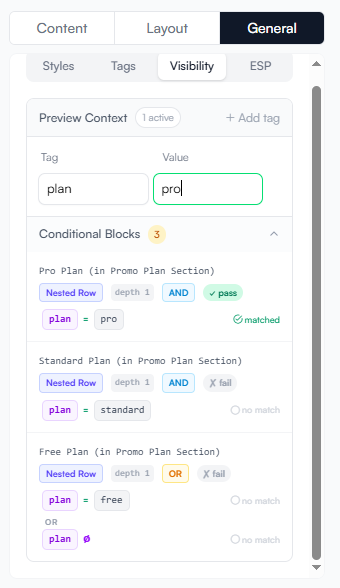
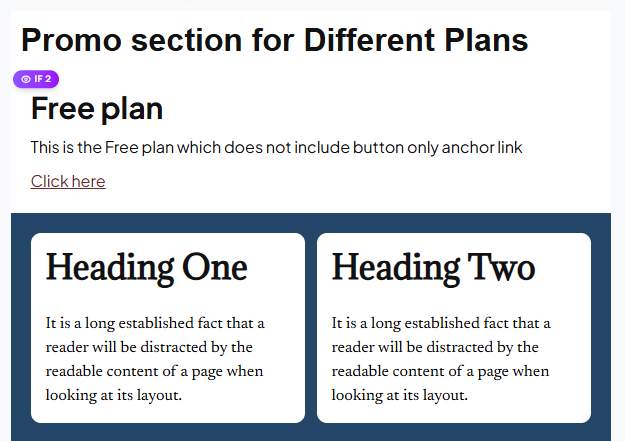
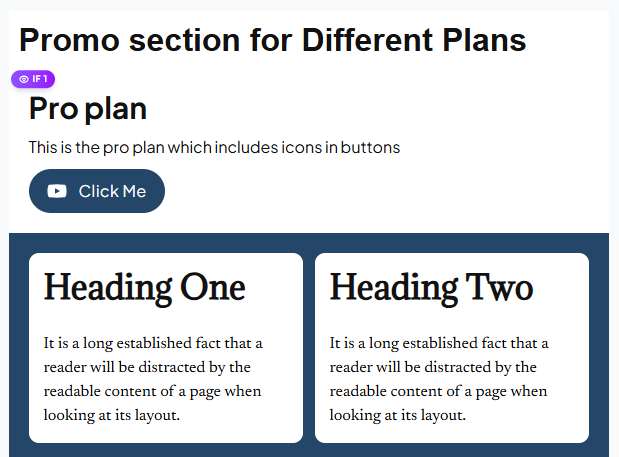
Visibility rules let you conditionally show or hide rows in your email based on context values supplied at render time. This allows a single template to serve multiple audiences — for example, showing a "Pro features" row only when plan = pro.
How it works
-
In the builder, select a row and open its settings.
-
Add a Visibility Rule using the condition editor.
-
At render time, pass a
contextobject containing key–value pairs. -
The Render API evaluates each rule and includes or excludes rows accordingly.
Context values are not injected into email content — they only drive show/hide logic. For dynamic text content, use merge tags.
Creating a rule in the editor
-
Click a row to select it.
-
In the Settings panel, expand Visibility.
-
Click + Add Rule.
-
Choose:
-
Field — the context key to evaluate (e.g.
plan) -
Operator — see Supported operators below
-
Value — the comparison value (e.g.
pro)
-
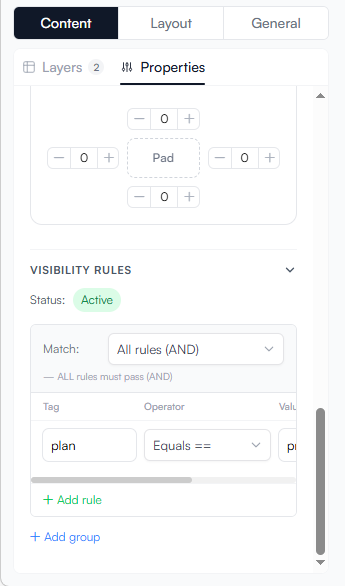
Multiple rules on a single row use AND logic — all conditions must be satisfied for the row to appear.
Supported operators
| Operator | Behaviour | Example |
|---|---|---|
|
Strict equality |
|
|
Strict inequality |
|
|
Value contains the specified substring |
|
|
Value does not contain the specified substring |
|
|
Value starts with the specified substring |
|
|
Value ends with the specified substring |
|
|
Value is one of a comma-separated list |
|
|
Value is not one of the listed values |
|
|
Numeric greater than |
|
|
Numeric greater than or equal |
|
|
Numeric less than |
|
|
Numeric less than or equal |
|
|
Value is missing, null, or an empty string |
|
|
Value exists and is not empty |
|
|
Date occurs before the specified date |
|
|
Date occurs after the specified date |
|
|
Date matches the specified date |
|
contains, starts_with, and ends_with operate on string values.
>, >=, <, and ⇐ operate on numeric values.
Date operators expect ISO-8601 date values (for example, 2026-01-01).
|
Passing context at render time
JavaScript
await client.renderHtml("template-id", {
  context: {
    plan:         "pro",
    country:      "usa",
    age:          25,
    country_rank: "2",
    expiry:       "2028",
  },
})
Python
client.render_html("template-id", {
    "context": {
        "plan":         "pro",
        "country":      "usa",
        "age":          25,
        "country_rank": "2",
        "expiry":       "2028",
    },
})
REST API
{
  "template_id": "550e8400-e29b-41d4-a716-446655440000",
  "target": "html",
  "dynamic_data": {
    "context": {
      "plan": "pro",
      "country": "usa",
      "age": 25
    }
  }
}
Default behaviour (no context supplied)
If you call renderHtml("template-id") without a context:
-
All rows without a visibility rule are shown.
-
Rows with a visibility rule are hidden by default unless the rule evaluates to true. Since no context is provided, the rule cannot be satisfied, so the row is hidden.
| Design your templates so the "no context" render is safe to show — for example, keep promotional upsell rows behind rules so they’re only shown when relevant context is present. |
Combining visibility rules and merge tags
You can use both in the same template:
await client.render({
  templateId: "template-id",
  target: "html",
  dynamicData: {
    merge_tags: {
      text: { name: "Noruwa", promo_label: "Save 30%" },
      url:  { promo_url: "https://app.example.com/upgrade" },
    },
    context: {
      plan:    "free",
      country: "usa",
    },
  },
})
Here the name merge tag fills in visible content, while plan and country drive which rows are shown.